Mybusiness data table widget allows you to present on your page, with different styles and editing options whole database tables drawn straight from your database.
After dropping your widget a window will open with four tabs:
1. Database
2. Columns
3. Filter
4. Data options
1. Database tab
Under the database tab you will choose the table you would like to draw the data from and select the fields you would like to present in your table.
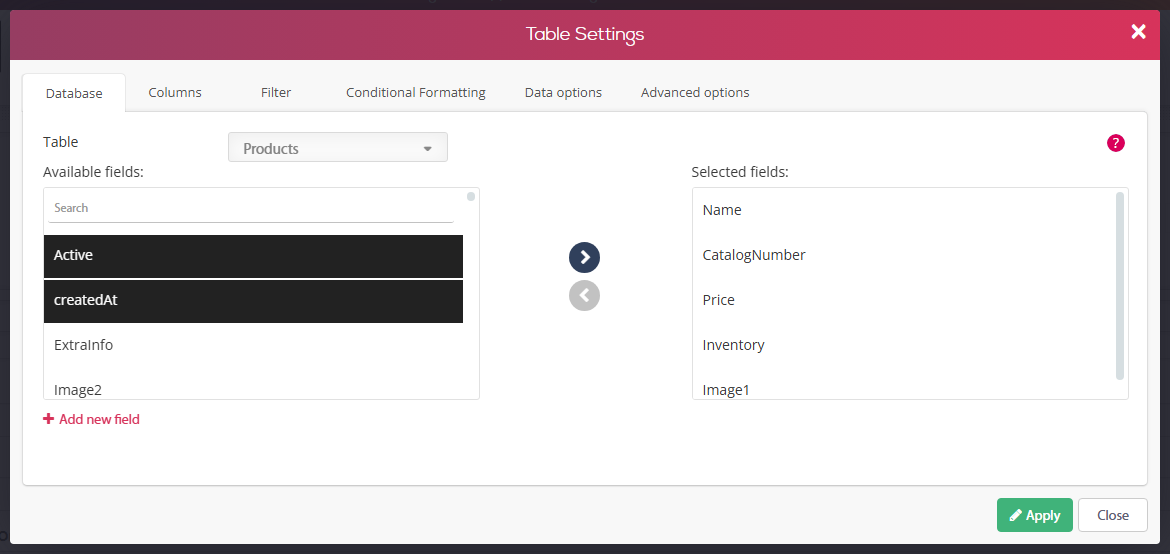
2. Columns tab
Rename your data columns as how you want them to show on your page.
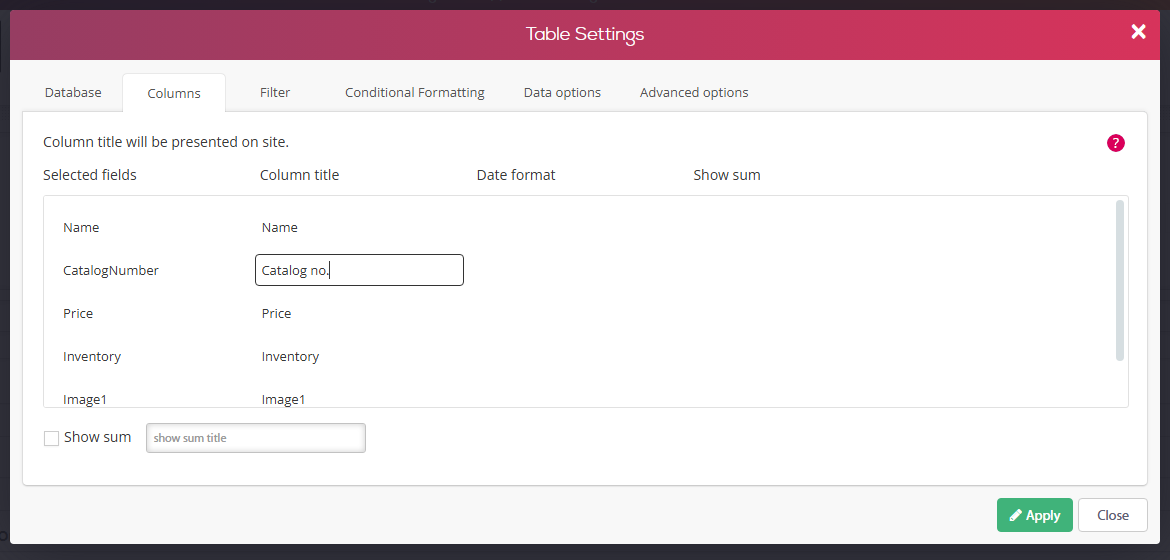
3. Filter tab:
Set a method of filtering for any of your tables, you can choose from two different methods:
1. Connect the table to a ready-made search form allowing the user to search by his own.
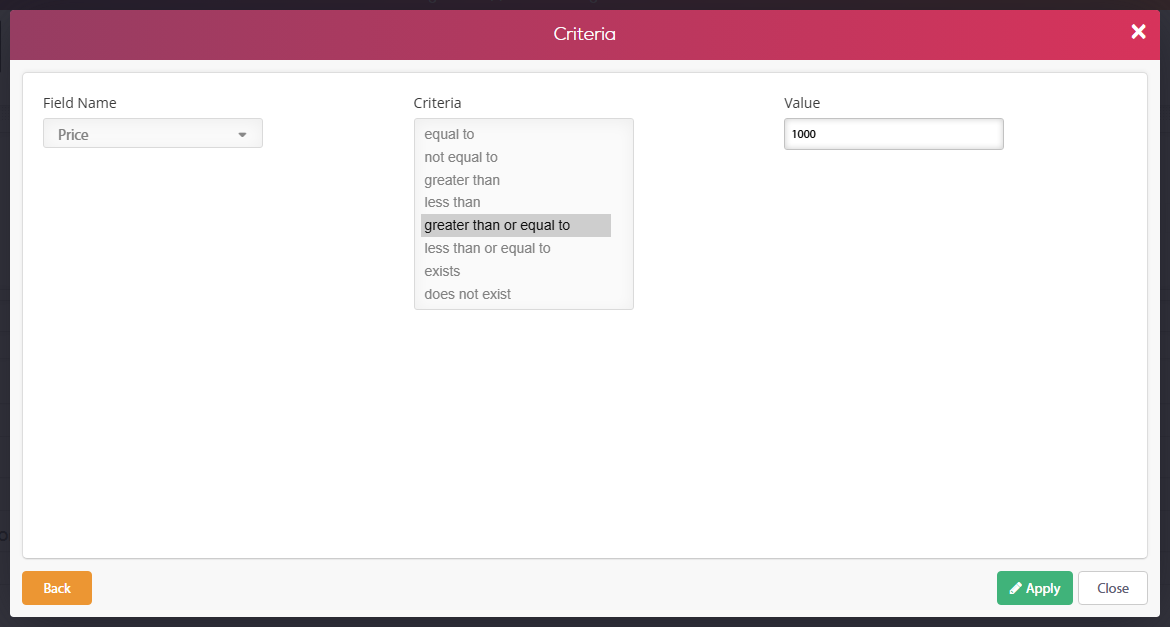
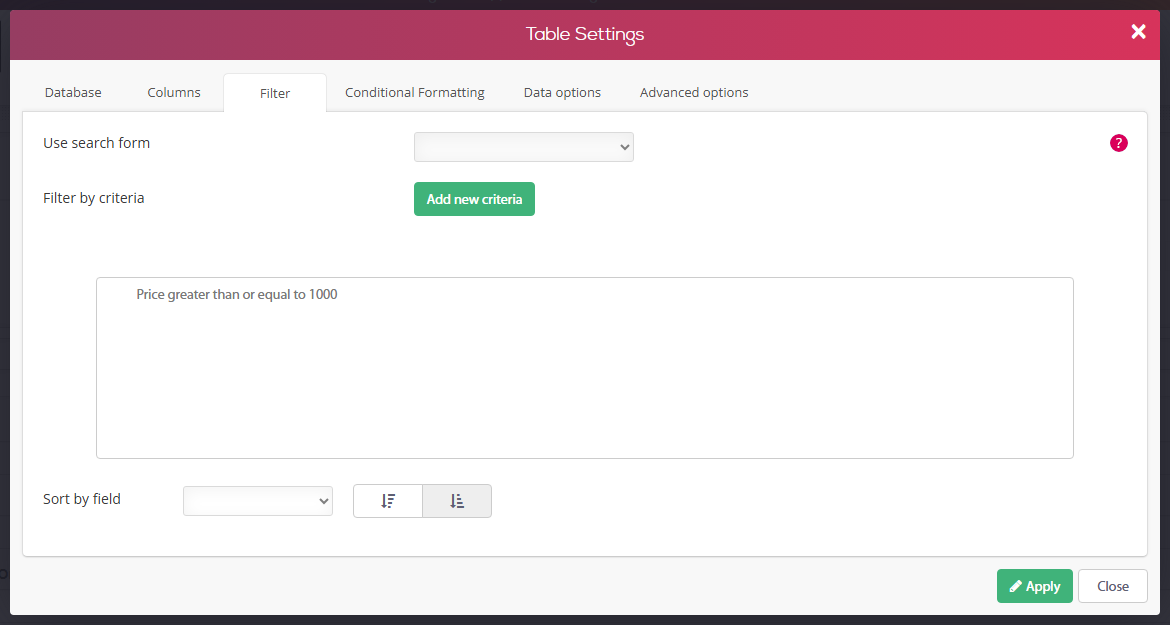
2. Filter the data by a set criteria- by filtering by criteria, the table will appear to the user already filtered.
In the next example we will filter our "Cars" table using the second method to only present cars with a model year greater than 2015:
Filter Result:

4. Data options
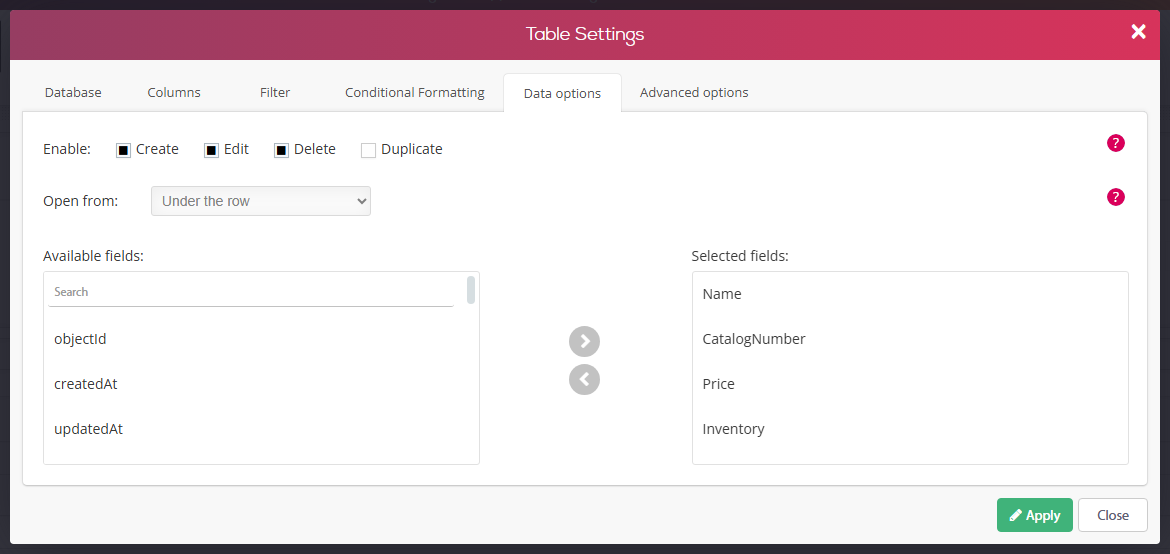
Data options will allow your users to perform actions on the table that will affect both the database in the background and the presented table on page.
The available actions are:
1. Delete – delete a database record.
2. Edit – Edit a database record.
3. Create – Create a new database record.
In addition, you will be able to choose which columns the users will be able to perform the actions on.
The actions are allowed for all users that meet the table permissions. For example:
If your table permissions don't allow public users to edit, create and delete records, but do allow members to do so, only members will be able to perform actions while public users will get an error message.
"Open from" allows you to choose the method the editing form of the record will open.